Addressing the Geometry Problem: Constellations in NodalArc

In terrestrial networking, you design the topology, generally constrained by physical locations that make sense for the business. You choose where routers go, how they connect, and what the link characteristics look like. On orbit, the constellation design makes those decisions for you, and different constellations make them very differently. Before we can test how protocols behave in orbit, we need an emulation environment that can represent the range of spatial constellations that are appropriate for on orbit networking.

The topology you don't get to choose

If you build terrestrial networks for a living, you're used to one thing being true: you pick the topology. You decide where the routers go, how they connect, what the links look like. There are real constraints, but the topology is yours. You draw it, build it, and it stays put.

On orbit, you don't get that. The constellation decides what the topology looks like, and it's always moving. Every satellite is doing about 7.5 km/s. The links that exist right now won't be the same links five minutes from now. Which satellite a ground station talks to depends entirely on what happens to be overhead at that moment.

In a terrestrial network, a topology change is an event. Something broke, or you planned a maintenance window. On orbit, the topology changing is normal. The network is never sitting still. It's a question of how fast things move, what the pattern looks like, and whether the routing protocol can keep pace.

The tradeoff space is different too. On the ground, you're optimizing latency, reliability, or cost against a topology that holds still. On orbit, the geometry of the constellation itself dictates which tradeoffs you even get to make. A polar constellation covers the whole planet, but it introduces a periodic disruption at the poles that nothing in terrestrial networking prepares you for. An inclined constellation keeps your inter-satellite links stable and your routing simple, but the poles don't exist as far as it's concerned. You don't get to choose both. Physics already chose for you.

Iridium, Starlink, Kuiper, and OneWeb all fly different altitudes, different inclinations, different link hardware. Each one produces different topology dynamics.

Two kinds of Walker constellation

Most LEO constellations use some form of a Walker constellation: satellites spread evenly across a set of orbital planes, all at the same altitude and tilt, planes spaced around the equator. It's a clean, repeating pattern. There are generally two flavors, and they produce very different networks and routing implications.

Walker Delta puts its orbital planes at a tilt, usually between 50 and 60 degrees off the equator. That tilt is the inclination, and it sets how far north and south each satellite actually goes. A 53-degree constellation never gets above 53°N or below 53°S. All the planes orbit in the same direction, so satellites in neighboring planes are moving roughly in parallel. Distances between them stay stable, cross-plane ISLs hold, and the main thing you're dealing with is handovers as satellites pass over ground stations. Starlink and Kuiper are both Delta. The tradeoff: if your constellation tops out at 53 degrees, the poles don't exist to you.

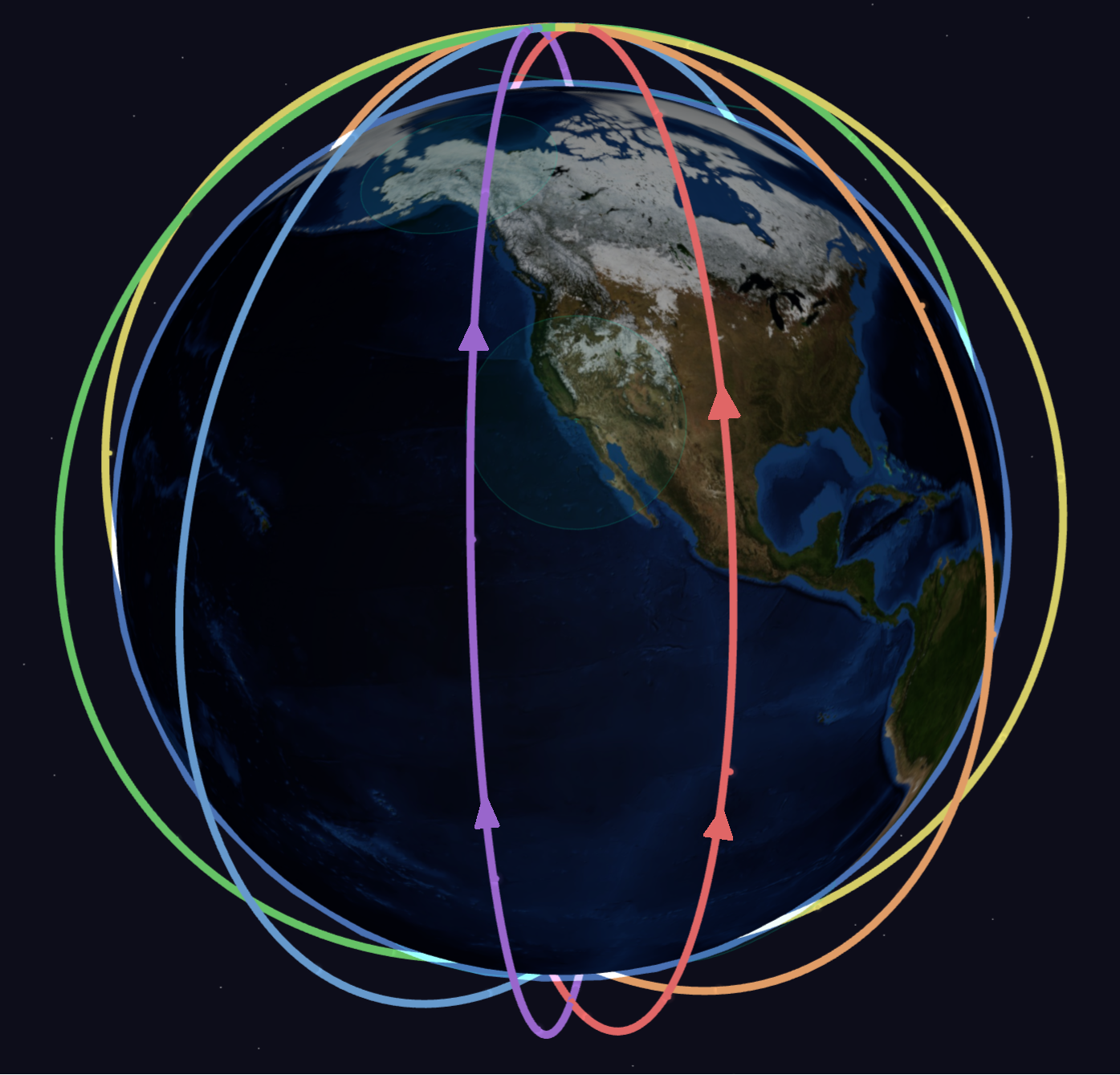
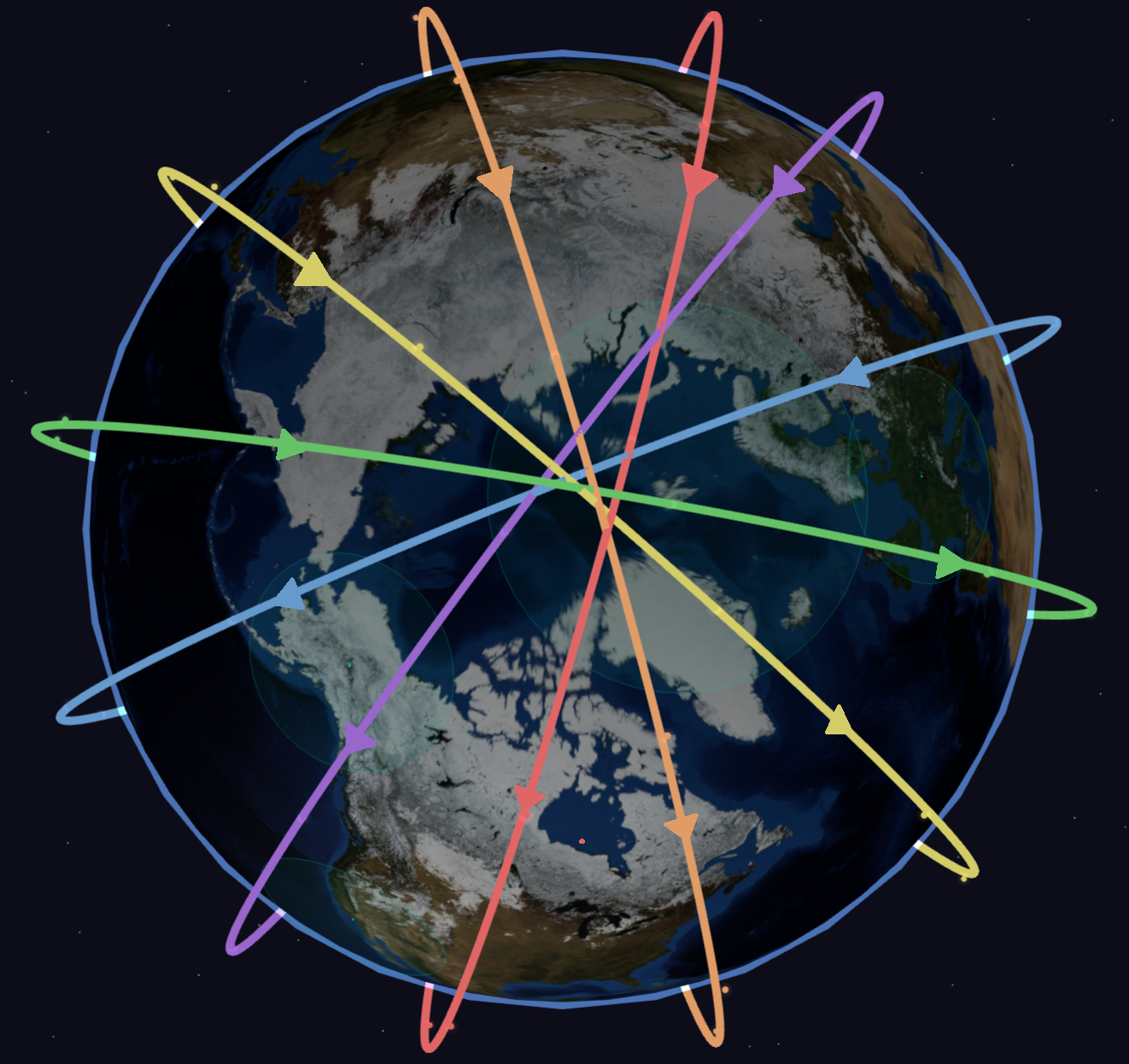
Walker Star goes near-polar, above 80 degrees inclination. Now you cover the whole planet, including the poles. But that comes with its own challenges, because the planes are nearly polar, satellites in adjacent planes are flying in opposite directions. Near the equator, the relative speed between them is manageable. Near the poles, they're screaming past each other. The cross-plane ISL terminals can't physically track fast enough, so those links drop. This is the polar seam. It's not a failure. It's the physical hardware hitting its limit, and it happens on every single orbit. Iridium and OneWeb are both Star patterns. You get global coverage, but your backbone has a hole in it that moves around the network continuously.

Walker Star - Frontal View
Walker Star: Equatorial view
Walker Star - Polar View
Walker Star: Polar view (seam visible)

Terrestrial analogy: Delta is a backbone where all your links stay up and your design problem is access-layer handoffs. Star is a backbone where some of your core links go down and come back on a schedule, and your IGP has to reconverge every time.

Building from primitives

NodalArc needs to support arbitrary constellation configurations. But if you've ever changed the topology of a network, even in a lab, you know what that means: renumbering, re-addressing, area boundaries shift, timers need adjusting, links have to be rewired. It's a pile of downstream work that scales with the size of the change.

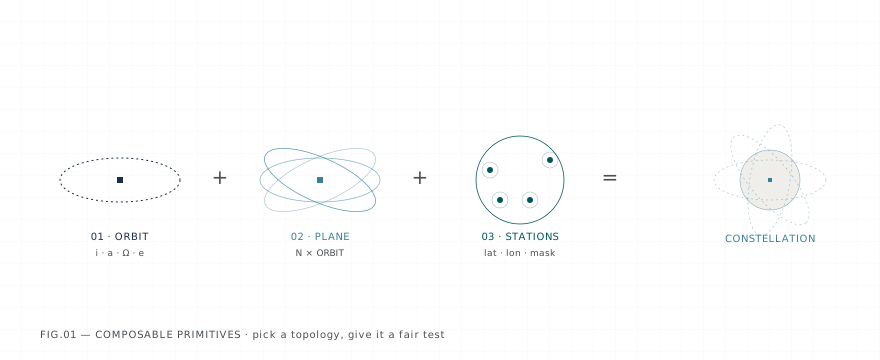
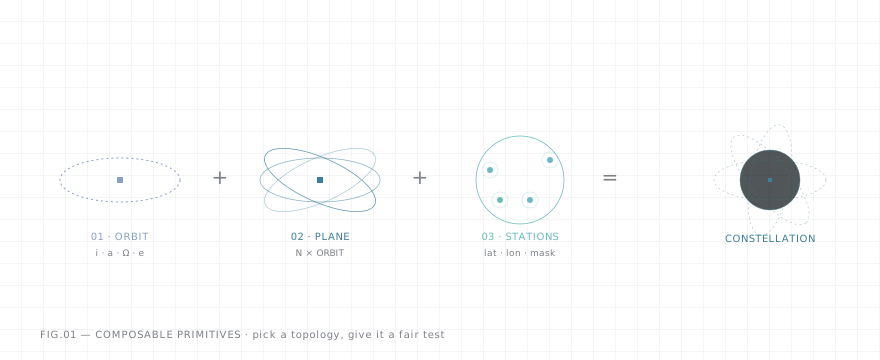
So we built the system on primitives. Each one models something specific: a satellite type captures altitude, interface count, link types, speeds, power. A ground station captures location, terminal type (RF or optical), how many satellites it can track simultaneously, handover policy, power budget. These are the building blocks, and they're independent of each other. The platform takes whatever combination you give it and builds out all the underlying configs, addressing, interface wiring, and area assignments automatically.

That means you can do things that would be painful or impossible in a traditional lab. Run Starlink satellites in an Iridium constellation. Put ground stations wherever you want. Mix and match hardware, geometry, and routing stacks and let the system figure out the plumbing. You describe the experiment. The platform builds the network.

The primitives are based on four layers: satellite types, constellation geometry, ground stations, and routing stacks. Each one is its own YAML definition. Each one carries constraints that flow up into the topology.

Satellite types

A satellite type is the hardware spec. How many terminals, what type, what they connect to. Think of it as picking a router platform and deciding which line cards go in which slots.

Inter-satellite links (ISLs) connect satellites to each other, either within the same orbital plane or across to neighboring planes. These can be optical (laser) or RF. Optical gives you higher bandwidth and tighter beams but needs precise pointing. RF is more forgiving but lower throughput.

Ground terminals connect the satellite to ground stations in the network infrastructure. These are typically RF (Ka or Ku band), though newer designs are moving to optical. Ground stations are part of the constellation's routing domain. They're generally where traffic enters and exits the orbital network from other networks - think terrestrial network POPs.

Neither of those should be confused with user terminals, the consumer-facing antennas that Starlink bolts to your roof. NodalArc doesn't model user terminals (yet - it's coming). Right now we're focused on the infrastructure: the ISLs that form the backbone and the ground links that tie it to terrestrial networks.

Starlink Gen2:

satellite_type:
  name: starlink-v2
  isl_terminals:
    - type: optical
      count: 4
      max_range_km: 5000
      bandwidth_mbps: 100
      max_tracking_rate_deg_s: 3.0
      field_of_regard_deg: 140
  ground_terminals:
    - type: rf
      count: 1
      bandwidth_mbps: 1000
      band: Ku

This YAML defines the starlink-v2 as a type of satellite. In this case it has four optical ISL terminals, all pooled, each with a range of 5000km, a bandwidth from each interface of 100 Mbps, 3 deg/s tracking. Its connection to the ground station uses an RF link that can send and receive at 1 Gbps.

Now look at Iridium NEXT:

satellite_type:
  name: iridium-next
  isl_terminals:
    - type: rf
      band: Ka
      count: 2
      role: intra-plane
      max_range_km: 4400
      bandwidth_mbps: 10
      max_tracking_rate_deg_s: 4.0
      field_of_regard_deg: 120
    - type: rf
      band: Ka
      count: 2
      role: cross-plane
      max_range_km: 4400
      bandwidth_mbps: 10
      max_tracking_rate_deg_s: 2.5
      field_of_regard_deg: 120
  ground_terminals:
    - type: rf
      band: Ka
      count: 1
      bandwidth_mbps: 200

This satellite has two intra-plane terminals at 4.0 deg/s and two cross-plane at 2.5. Those numbers are slew rates: how fast the antenna can physically rotate to keep pointing at the satellite on the other end of the link. It's a mechanical limit. The antenna is on a gimbal, and that gimbal can only move so fast.

At mid-latitudes, adjacent satellites in counter-rotating planes are moving past each other slowly enough that 2.5 deg/s is plenty. Near the poles, those same satellites are converging head-on - at a much higher relative velocity. The apparent angular rate between them exceeds what the cross-plane antenna can track, and the link drops. Not a software bug. Not a config error. The gimbal literally can't slew fast enough to keep the beam on target. That's the "polar seam".

Constellation geometry

The constellation definition takes a satellite type and puts it in orbit. This is where Delta vs. Star stops being abstract and we actually build the physical topology.

mode: parametric
name: starlink-early-44
satellite_type: starlink-v2
orbit:
  altitude_km: 550
  inclination_deg: 53
  pattern: walker-delta
planes:
  count: 4
  raan_spacing_deg: 45
  sats_per_plane: 11
  phase_offset_deg: 8.2

This defines a constellation called starlink-early-44 using the starlink-v2 satellite type from above. The mode is parametric, meaning we describe the shape of the constellation and the platform computes individual satellite positions. You can also use explicit to hand-place each satellite or tle to import real tracking data.

The orbit puts them at 550 km altitude, 53 degrees inclination, in a classic Walker Delta pattern. The planes section is where the topology actually comes together. Four planes, 11 satellites in each, 44 total. The raan_spacing_deg is 45 degrees, which is how far apart the planes are spaced around the equator. RAAN is just the longitude where each plane crosses the equator heading north. So four planes at 45 degrees giving you even 180 degree spacing.

phase_offset_deg at 8.2 degrees staggers where each plane's satellites sit relative to the plane next door. Without it, satellites in adjacent planes line up directly across from each other. With it, they're offset, which keeps cross-plane ISL distances more consistent as everything orbits - and keeps things from crashing into each other where orbits intersect.

Now the same thing for Iridium:

mode: parametric
name: iridium-66
satellite_type: iridium-next
orbit:
  altitude_km: 780
  inclination_deg: 86.4
  pattern: walker-star
planes:
  count: 6
  raan_spacing_deg: 31.6
  sats_per_plane: 11
  phase_offset_deg: 5.45
polar_seam:
  enabled: true
  latitude_threshold_deg: 70

Same structure, very different constellation. This one uses the iridium-next satellite type, so all those RF terminals and slew rate limits come along for the ride. The orbit is higher at 780 km, and the inclination is 86.4 degrees, which is about as polar as you get without actually going over the pole. So a Walker Star pattern but with six planes this time, spaced 31.6 degrees apart, 11 satellites each - equaling 66 total.

The new piece is the polar_seam block at the bottom. That tells the platform to model seam behavior, with cross-plane ISLs starting to degrade above 70 degrees latitude. That 70-degree number comes from the iridium-next satellite type: with cross-plane antennas that max out at 2.5 deg/s, that's roughly where the math stops working and links start dropping.

Put these two constellations side by side and you're looking at two completely different routing problems. The Delta has stable ISLs and simple handover dynamics. The Star has a moving gap in its backbone that the routing layer has to deal with on every orbit. If you only test against one of them, you're only seeing half the picture.

Ground stations

In terrestrial networking, you put POPs where the traffic is. For example, you put your peering router in Ashburn, VA because that's where the peering happens, not because the laws of physics require it.

On orbit, the physics actually do require it. A 53-degree inclined constellation can't see Svalbard (island between Greenland and Novaya Zemlya in the Arctic Ocean/Barents Sea), as the satellites never get that far north. A polar constellation can see everything, but the seam causes problems at high latitudes. Your ground stations have to match what the constellation can actually reach, or you've got hardware on the ground that will never talk to anything.

Each ground station has its own definition:

ground_station:
  name: ashburn
  lat_deg: 39.04
  lon_deg: -77.49
  alt_m: 100
  terminals:
    - type: optical
      count: 2
      bandwidth_mbps: 1000
      tracking_capacity: 1
  terrestrial_prefixes:
    - prefix: "172.16.2.0/24"
      metric: 10
    - prefix: "0.0.0.0/0"
      metric: 100

This is the Ashburn ground station. Latitude, longitude, altitude. Two optical terminals, each doing a gig, each able to track one satellite at a time. The terrestrial_prefixes section is what the station advertises into the constellation's routing domain. A local /24 at metric 10 and a default route at metric 100. If you've done MPLS VPN work, this is the same idea: the ground station is the PE, advertising connected prefixes and a default into the orbital network.

NodalArc can group stations into sets matched to the constellation type to make things easier for you:

# For polar constellations (Iridium, OneWeb)
ground_station_set:
  name: polar-emphasis
  stations:
    - svalbard      # 78°N
    - mcmurdo       # 78°S
    - fairbanks     # 65°N
    - punta-arenas  # 53°S
    - frankfurt     # 50°N
    - hawthorne     # 34°N
# For inclined constellations (Starlink, Kuiper)
ground_station_set:
  name: global
  stations:
    - hawthorne     # 34°N
    - ashburn       # 39°N
    - frankfurt     # 50°N
    - singapore     # 1°N
    - sao-paulo     # 24°S
    - sydney        # 34°S
    - mcmurdo       # 78°S

These are just named lists of stations. The polar-emphasis set has Svalbard at 78°N and Fairbanks at 65°N because those are the latitudes where you actually see the seam at work. The global set spreads stations across mid-latitudes where inclined constellations have their densest coverage. McMurdo shows up in both because polar path studies are useful regardless of what constellation you're running.

Routing stacks

If you've built labs in GNS3, Containerlab, or VIRL, you know the problem: your topology and your routing config are tangled together. Want to compare how OSPF and IS-IS handle the same failure? You're rebuilding half the lab.

If you need different protocols running against the exact same topology, same conditions, same measurement - constantly changing the routing configuration of hundreds or thousands of nodes is problematic. So we templatized it.

The routing stack is its own layer:

stack:
  name: frr-isis-sr
  image: nodalarc/frr:10
  daemons:
    - zebra
    - isisd
    - pathd
  template_variables:
    srgb_start: 16000
    srgb_end: 23999
    reference_bandwidth: 10000
  segment_routing: true
  mi_adapter: frr_isis_adapter

This stack is called frr-isis-sr. It runs on the nodalarc/frr:10 container image, which is FRR version 10. Every satellite and every ground station gets its own copy of this container. The daemons list says what runs inside: zebra handles the forwarding table, isisd runs IS-IS as the IGP, and pathd manages Segment Routing policies.

The template_variables section sets parameters that get pushed into every node's config. The SRGB (Segment Routing Global Block) reserves MPLS labels 16000 through 23999 so every node in the constellation gets its own SID, same as you'd set up in any terrestrial SR domain. The reference bandwidth at 10000 makes the IS-IS metric calculation work sensibly against the link speeds in the constellation.

The mi_adapter at the bottom hooks this stack into the measurement infrastructure. It knows how to pull convergence events, path changes, and forwarding state out of FRR's IS-IS, so everything gets recorded without any extra config on the nodes themselves.

Want to run OSPF instead? Change the stack to frr-ospf-plain. Want to throw out distributed routing entirely and use centralized path computation? nodalpath-fwd. The constellation, the ground stations, the orbital timeline: none of that changes. Only the routing layer swaps out.

Putting it together

A session is where all four layers come together into one runnable emulation:

session:
  name: iridium-66-isis-flat
constellation: configs/constellations/iridium-66.yaml
ground_stations: configs/ground-stations/sets/polar-emphasis.yaml
routing:
  stack: configs/routing-stacks/frr-isis-sr
  area_assignment:
    strategy: flat

This one is called iridium-66-isis-flat. It points at the iridium-66 constellation we defined above, uses the polar-emphasis ground station set, and runs the frr-isis-sr routing stack. The area_assignment strategy is flat, meaning the whole constellation is one IS-IS area. You could also set it to split areas by orbital plane, by hemisphere, or by custom rules, but flat is where you start.

The interesting part is running the next session. Change the constellation to kuiper-50.yaml, swap the ground stations to global, keep the same routing stack. Now you're running IS-IS with SR against a completely different orbital geometry. Or keep the constellation and change the stack to frr-ospf-plain. Or nodalpath-fwd.

That's what the primitives are for. The question we're trying to answer isn't whether IS-IS works on one constellation. It's where the boundaries actually fall between different routing approaches, across the range of geometries the industry is flying. You can't answer that without being able to change one thing at a time and measure what happens.

What's next

Post #003 gets into what happens when the Orbital Mechanics Engine takes these primitives and starts computing: position propagation, visibility windows, and how the Topology Observer turns orbital geometry into the carrier events your routing protocol actually sees.